Watibot sends your campaigns across WhatsApp, RCS, and SMS with automatic fallback. If one channel fails, the next one delivers. No message left undelivered.
You send to 10,000 contacts. Hundreds of them never receive it on their active channel.
A flash sale goes out. Half your list sees it after the sale ends.
Every contact gets the same message. Loyal buyers and cold leads treated the same way.
The campaign ends. You still don't know which channel drove the sale.
One Broadcast. Three Channels. Zero Missed Deliveries.
Automatic Fallback Across WhatsApp, RCS, and SMS
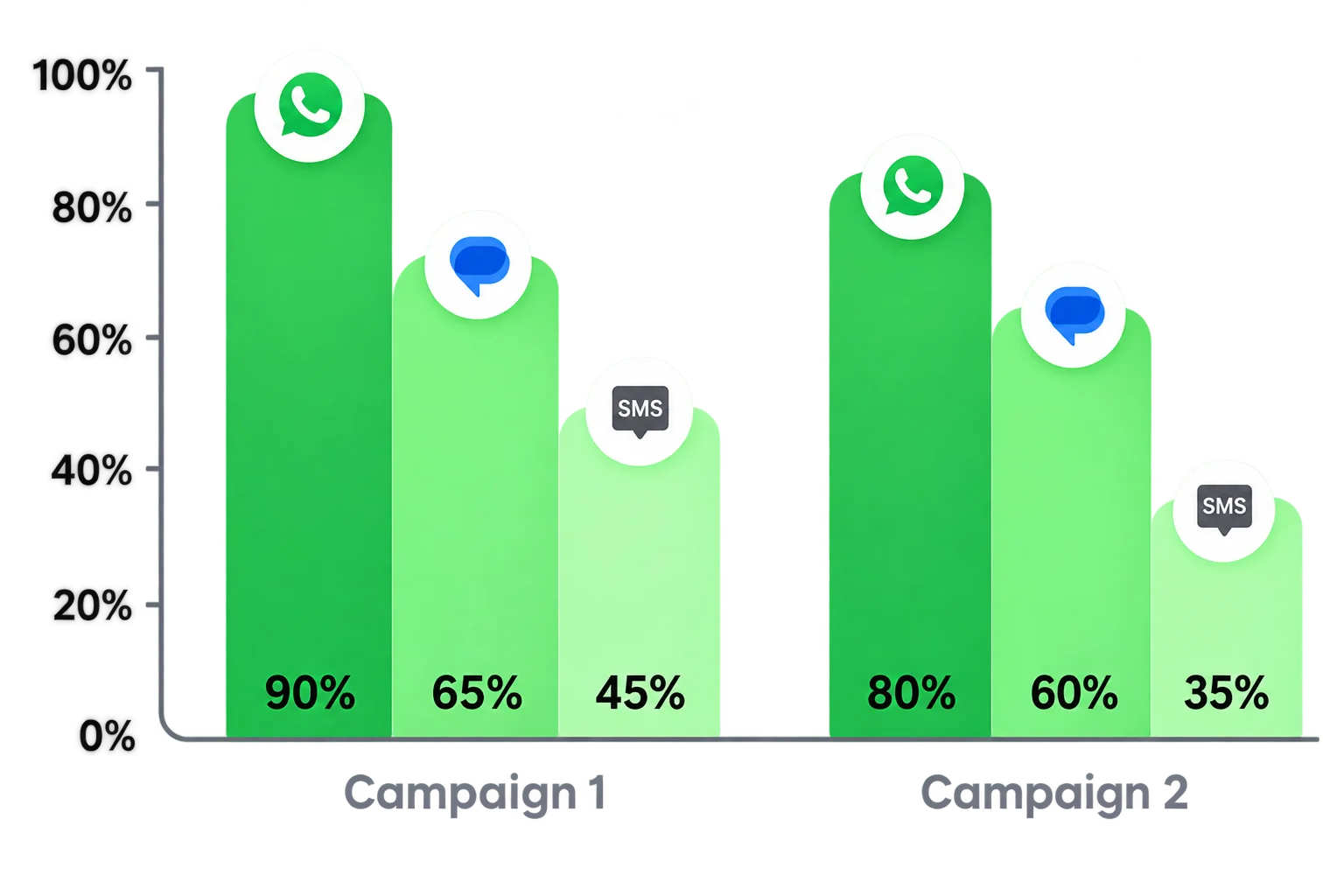
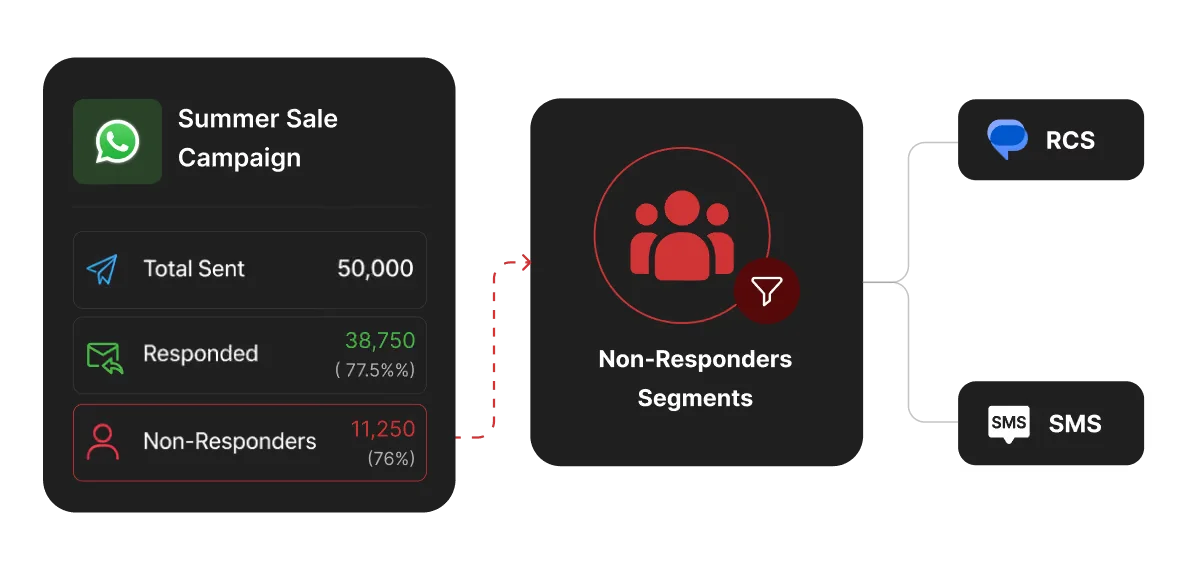
Every broadcast starts on WhatsApp. If undelivered, it falls to RCS, and then to SMS.
No manual intervention needed. The fallback triggers automatically.
Every contact gets the message. No gaps, no missed sends, no lost revenue.
Segmented Broadcasts That Feel Personal
Segment contacts by purchase history, cart behavior, location, or funnel stage before sending.
A repeat buyer gets a loyalty offer. A first-time visitor gets a welcome deal. Same campaign, different messages.
Shopify data syncs automatically so your segments are always current when you hit send.
Schedule Campaigns Around the Right Moment
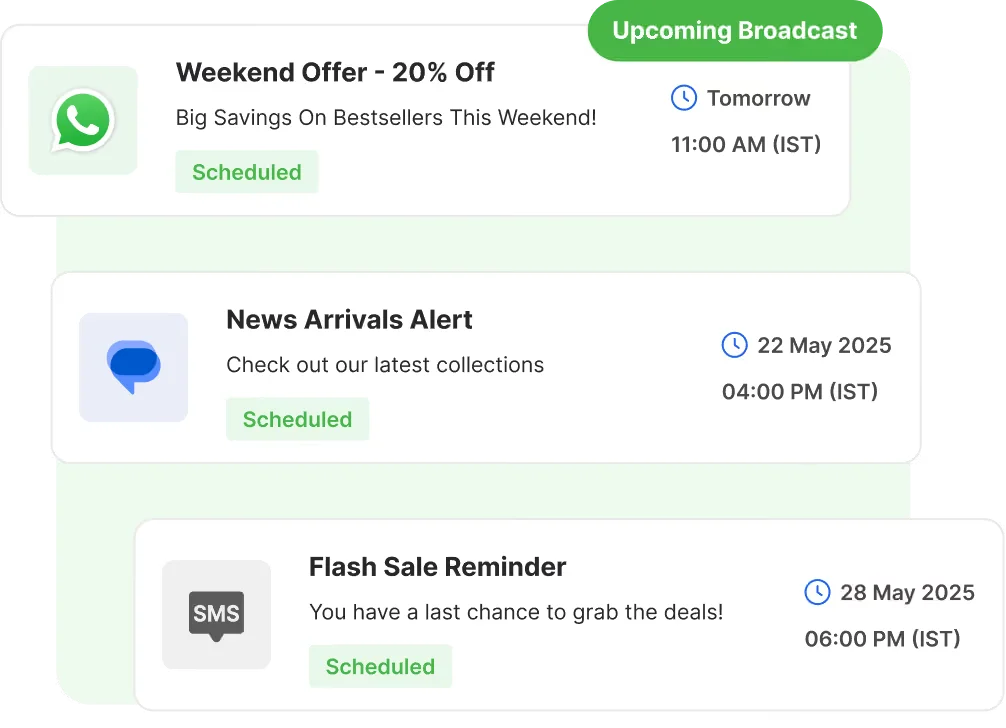
Schedule WhatsApp, RCS, or SMS broadcasts days in advance around sales events or product launches.
Set send times based on time zone so contacts get your message when they are most active.
Trigger broadcasts automatically when a customer hits a specific action like abandoning a cart or crossing a spend threshold.
Skip Rules and Dead Audience Filtering
Automatically exclude contacts who already purchased, recently received a broadcast, or are mid-conversation with an agent.
Set skip rules based on last message date, purchase status, or funnel stage so you never over-message the same contact.
Remove unresponsive contacts from your active broadcast list after a set number of missed messages to protect sender health.
Broadcasts That Start Two-Way Conversations
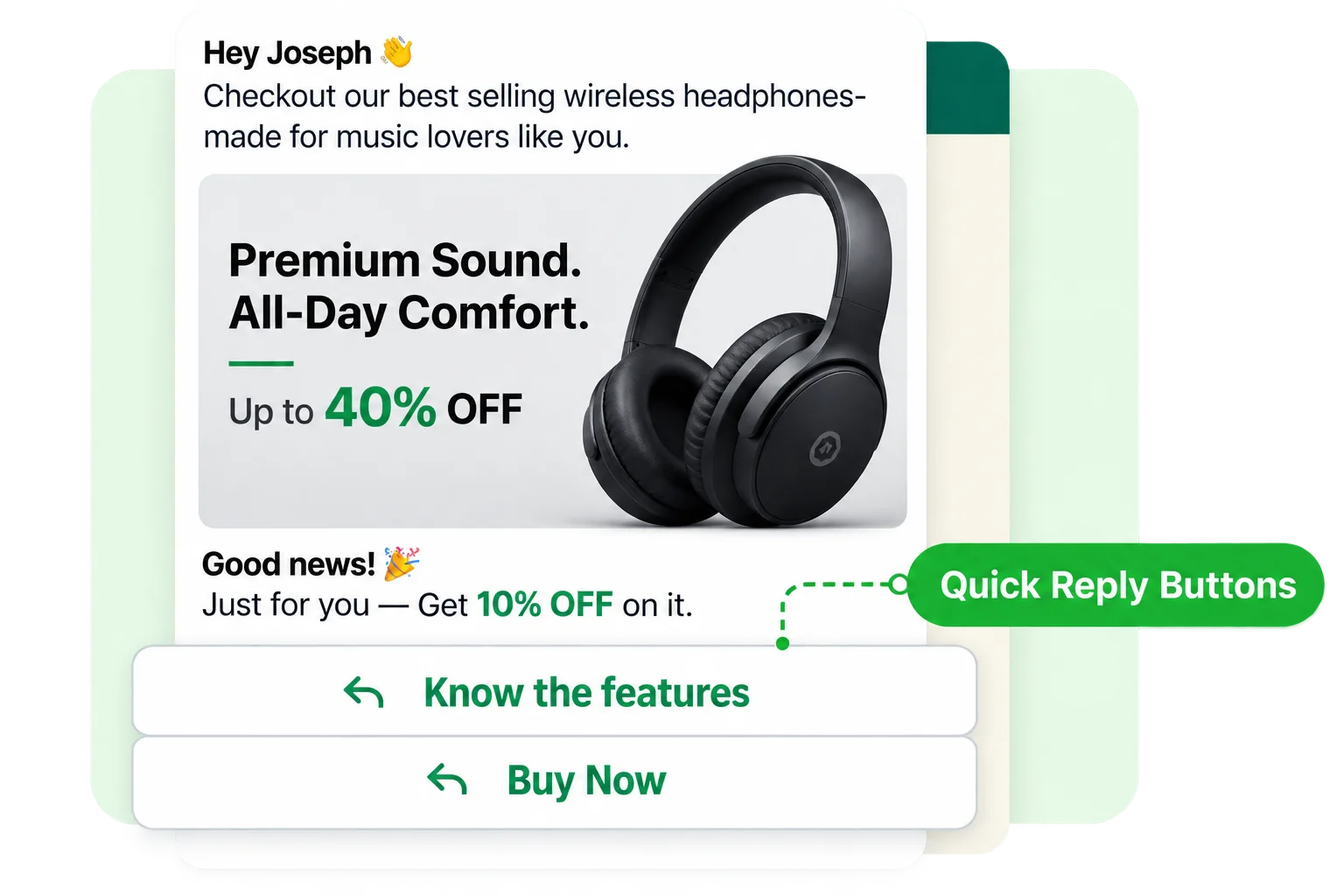
Add quick reply buttons to any broadcast so contacts can respond with one tap.
Send product images, carousels, and tap-to-buy buttons on WhatsApp and RCS so customers go from message to checkout in one step.
Replies route automatically into a bot flow or a live agent depending on intent, turning a broadcast into a qualified lead without manual follow-up.
Know What Worked Before You Plan the Next Campaign
Delivery rate by channel
See how many contacts received your message on across every channel.
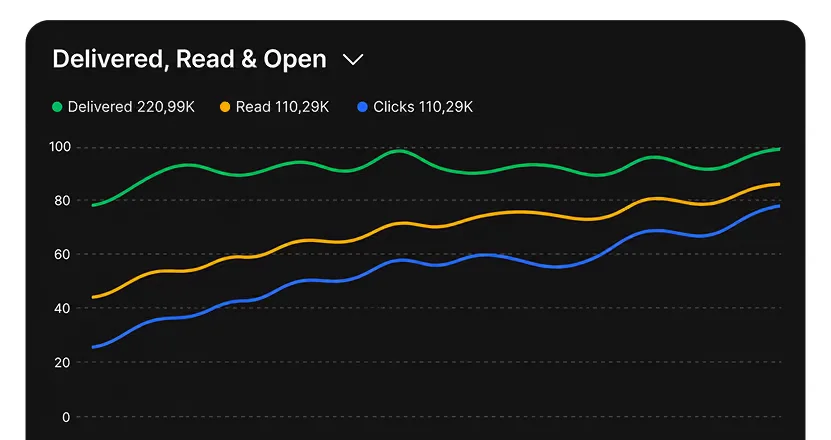
Open and read rates in real time
Know who read your message and when, as the campaign runs.
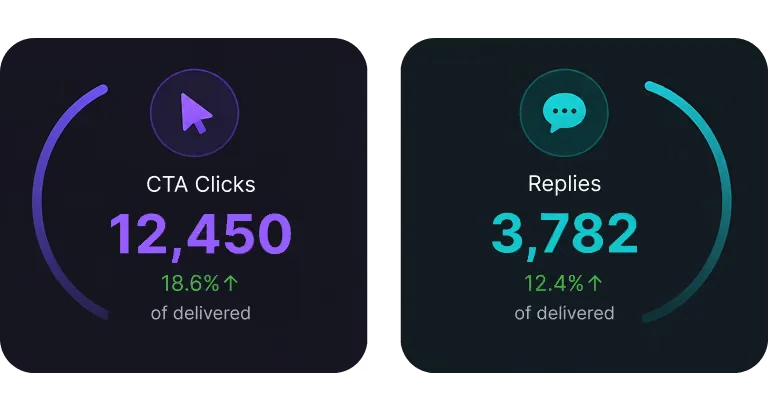
Click and reply tracking
See which contacts clicked on the CTA or replied.
Route conversations to the right place
Let chatbots handle common questions and pass complex chats to agents.
Route conversations to the right place
Let chatbots handle common questions and pass complex chats to agents.
Frequently Asked Questions
You’re in good company
Trusted by brands across industries, geographies, and sizes, including those servicing both B2B and B2C markets.
Security you can trust
As a data company, we understand the importance of keeping your company’s data secure.
Integration with your tools
Seamlessly connect the database and applications you rely on to scale your business.
What is a broadcast message?
A broadcast is a one-to-many message sent to a specific group of contacts at once. Unlike a group chat, each contact receives the message privately. Broadcasts can be personalized, scheduled, and tracked.
Which channels does Watibot support for broadcasts?
Watibot supports broadcasts on WhatsApp, RCS, and SMS. Messages automatically fall back from WhatsApp to RCS to SMS if the primary channel fails, ensuring every contact gets the message.
What happens if a contact does not have WhatsApp?
The broadcast automatically falls to RCS. If RCS is also unavailable, it delivers via SMS. No message goes undelivered because of a channel gap.
Can I send different messages to different contacts in the same broadcast?
Yes. You can segment your audience by purchase history, behavior, location, or funnel stage and personalize the message for each segment within the same campaign.
Can I include images, videos, and buttons in a broadcast?
Yes. WhatsApp and RCS support rich media including product images, carousels, and tap-to-buy buttons. SMS broadcasts are text-based but can include links.
How do skip rules work?
Skip rules let you exclude contacts from a broadcast based on conditions you set. For example, you can exclude anyone who purchased in the last 7 days or received a message in the last 3 days.
Can a broadcast trigger a two-way conversation?
Yes. You can add quick reply buttons to any broadcast. When a contact replies, it automatically routes into a bot flow or a live agent depending on what they select.
How do I measure the revenue from a broadcast campaign?
Watibot attributes orders to the broadcast that influenced them. Your campaign report shows delivery rates, read rates, reply rates, and total revenue generated per send.